
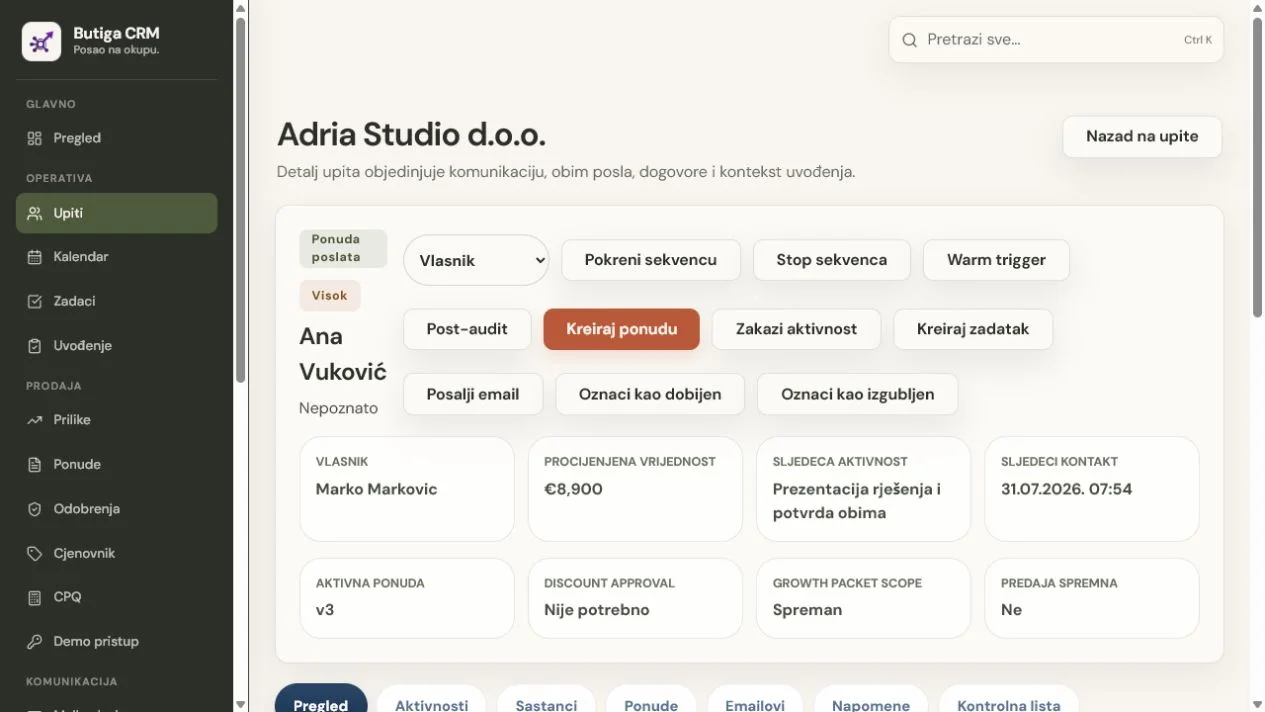
CRM is a customer relationship management system. The abbreviation comes from Customer Relationship Management, but in daily work it means more than an address book. It connects companies and contacts with communication, owners, sales opportunities, quotes, tasks, deadlines and next steps. Good CRM answers three practical questions: what was last agreed, who is responsible and what needs to happen next. You need it when a spreadsheet, private inbox or colleague's memory can no longer reliably provide those answers.
CRM in one sentence
CRM is a shared system in which a team manages relationships with prospective and existing customers from the first enquiry through agreement, delivery and future sales opportunities.
“Relationship” matters more than “database”. The same company can have multiple contacts, email conversations, meetings, quotes and open commitments. When these are separate, the contact list may be tidy but the work still depends on the person who knows where everything is.
Which data CRM connects
- Companies and Contacts
Name of company, persons, e-mail addresses, telephones, roles and other information necessary for business relations. - Ownership
The person or team responsible for the lead, client, opportunity or next activity. - Communications
Emails, notes, calls, meetings and attachments explaining what the client was looking for and what the team replied to. - Sales opportunities
Stage, estimated value, probability, expected date and the reason a deal was won or lost. - Quotes
Items, quantities, prices, discounts, approvals, versions and valid document. - Commitments
Tasks, deadlines, reminders, owners and next steps related to the client.
Not every CRM has to have each of these functions, nor does every firm need everything from the first day. More importantly, the system stores data that your process really uses and clearly shows their connections.
How CRM works in daily sales
- A new enquiry becomes a lead. The team records who contacted it, from which company, why and who will respond.
- Lead is qualified. It is checked that there is a real need, an appropriate contact, a framework value and a reasonable next step.
- A sales opportunity is opening up. The deal receives a stage, owner, estimate and expected activity.
- Communication stays with the customer. A colleague can see a relevant email, a note or a meeting without asking for a retelling.
- The offer connects the deal and the price. The valid version, items, discount and approval shall remain with the opportunity.
- The outcome is recorded. Won deals move to onboarding or delivery; lost deals receive an actual reason.
- The relationship continues. The new task, renewal, additional service or future opportunity remain linked to the same client.
CRM is not the same as a sales pipeline
A pipeline is one part of CRM. It shows opportunities by stage. CRM is broader: it covers companies, contacts, communication, activities, quotes, responsibilities and relationship history. Columns labelled “new”, “contacted” and “proposal” provide a basic process view, but not necessarily full CRM context.
Illustrative example: from the first email to work handoff
- Milica from Adria Servis sends an enquiry. Ask for a service offer and specify a deadline.
- The query gets the owner. Marko takes the lead, records the need and schedules the next conversation.
- Email and meeting complete the same record. The team sees what the customer requested, what was confirmed and what remains undefined.
- The opportunity enters the pipeline. Gets phase, estimated value and date of next activity.
- A quote is prepared. Items, quantities, price, discount and approved version stay linked to the opportunity.
- The client accepts the deal. The accepted version, volume, deadline and promises pass into the onboarding record.
- Operations takes over. The responsible person receives tasks and context without searching inboxes and folders.
Note: This example describes a real type of process supported by Butiga, but is not a case study or promise of business results.
CRM, Excel, email and project tool are not the same thing
| Tool | What it does best | Typical sales limit |
|---|---|---|
| CRM | Connects client, sales process, communication, ownership and next action. | Requires agreed rules, quality data and team discipline. |
| Excel | Calculations, flexible lists, models, special analyses and quick temporary records. | Business significance and responsibility often depend on manual maintenance. |
| Direct communication, document exchange and personal message flow. | Context remains divided across inboxes, threads and people. | |
| Project Tool | Tasks, deadlines, realization and co-operation after the job is defined. | Often not designed for leads, pipelines, quotes and sales history. |
| Accounting system | Financial records, invoices and statutory or accounting processes. | Does not necessarily retain the conversations and decisions preceding an accepted sale. |
These tools can work together. CRM need not replace Excel for analysis, email for communication, project tools for delivery or accounting for financial records. Its role is to bring the sales relationship into one operational place.
How to know if you need CRM
Do not decide by employee count alone. A five-person business can have a more complex sales workflow than a much larger team. Look at the number of handoffs, quotes, open commitments and places where context can disappear.
Signs that CRM has become justified
- more people talk to the same clients;
- ownership of an active lead is unclear;
- a follow-up depends on your personal reminder or memory;
- the offer exists in several files and is not clear which is valid;
- the manager must manually compile a multi-table and multi-inbox view;
- a new colleague cannot understand a customer without a verbal explanation;
- sales and operations understand customer promises differently;
- duplicates and incomplete contacts regularly cause mistakes.
When CRM is Not Needed
- one person leads a small number of simple contacts;
- there is no division of responsibility or work handoff;
- the sales cycle is short and no more versions of the offer;
- existing records are organised, maintained regularly and do not lead to missed commitments;
- The team is not yet ready to define the minimum process and regularly use the new system.
What good CRM should enable
- One Comprehensible Record
Authorized user sees who the client is, what's agreed and what's next. - Visible ownership
An active job has a responsible person, not just a status or color. - A verifiable next step
The date has been associated with the task, meeting or contact to be carried out. - Access control
Users see and change data according to membership, roles and business needs. - A History That Helps
Changes and activities explain the current state without guesswork. - Leaving the system
Authorised users can export the required data in a usable format.
What CRM doesn't solve alone
CRM may make the process visible and consistent, but cannot replace the basic business decisions.
- It doesn't define a good offer. The team still needs to know who it's helping, what it's delivering, and what it's worth.
- It does not assign responsibility without agreement. The ‘owner’ field has no value if no one knows what the owner must do.
- It does not clean data automatically. Duplicates, outdated contacts and vague remarks require a decision.
- It doesn't guarantee sales. The organisation of the process does not replace demand, quality, negotiation and execution.
- It doesn't provide a legal basis for processing. The company remains responsible for the purpose, accuracy and legal use of the data it enters.
- It does not fix bad habits without a change in how people work. If the team continues making important decisions outside the agreed system, context will become fragmented again.
How to choose CRM
The function list is useful only when you connect it to the real process. Before demo presentation, prepare a typical query, one offer that has undergone more changes and one example handing over the job.
- Describe the current flow. Where do enquiries arrive, who responds, where is communication kept and how is the next step identified?
- Define the key records. Company, contact, lead, opportunity, quote, task and onboarding are different records.
- Check the email workflow. Ask which accounts and protocols are supported, how messages are linked and who can see them.
- Test access rights. Do not just look at the menu. Check what the backend allows different roles over the specific entry.
- Prepare a real quote. Check items, discounts, approvals, versions, PDFs and what happens after acceptance.
- Walk through the handoff. The demo should show how operations receives the scope, promises, owners and tasks.
- Check data export and ending use of the service. How you enter the system matters, but so does how you retrieve your data when needed.
- Compare the total cost. Include licenses, adjustment, migration, training, support and time needed to adopt the process.
Do not buy according to maximum number of functions
A feature the team does not understand or use adds complexity without benefit. A better choice reliably supports a few critical workflows and leaves room to expand when a real need arises.
How to introduce CRM without disruption
- Assign an onboarding owner. One person coordinates decisions, data, deadlines and feedback.
- Define a small initial scope. Active leads, a few stages, an owner and next step are often enough to begin.
- Clean active data. Separate the archive, remove the obvious duplicates and reconcile the status names.
- Configure roles before import. Access should follow actual responsibilities, not arbitrary habits from the old spreadsheet.
- Test one flow from start to finish. Leads, email, opportunities, quotes and handoff must work together.
- Train the team on your own examples. Working through a familiar process is more useful than a generic presentation.
- Set a date for one source of truth. After that date, new statuses and next steps are no longer recorded in parallel in the old spreadsheet.
- Measure the quality of use. Check records without an owner or next activity, with overdue deadlines or incomplete context.
Basic CRM terms
| Lead | A potential client or a query that still needs to be qualified. |
|---|---|
| Contact | A person you communicate with within a company or a business relationship. |
| Sales opportunity | A concrete possible deal with phase, value, owner and expected outcome. |
| Pipeline | A review of the active opportunities deployed in the agreed stages of sales. |
| Activity | Email, call, note, meeting, task or other event related to the client. |
| Follow-up | Planned follow-up after an enquiry, conversation, meeting or sent quote. |
| Owner | The person responsible for maintaining the record and for carrying out the following obligation. |
| Handoff | A controlled handoff of agreed work from sales to the team onboarding or delivering it. |
How Butiga applies these principles
Butiga connects leads and contacts, supported business email, pipelines, activities, tasks, meetings, reminders, quotes, price lists and onboarding in one multi-user system. Access is checked by workspace, membership, roles and record permissions. Authorised roles can export filtered leads to CSV.
This does not mean that Butiga is the right choice for each company. If you only need a simple list or a deep spreadsheet analysis, read CRM vs Excel. If you want product details, see leads and contacts, the sales pipeline, business e-mail and quotes and price list.
Check the CRM on one real process
For a demo, prepare an anonymised enquiry example: what information you receive, who responds, how a quote is prepared and who takes over the work. Do not send real personal or confidential data before agreeing on a secure review method. Using the structure, we can show where CRM adds value and where your existing tool already works well enough. Book a Butiga demo.