

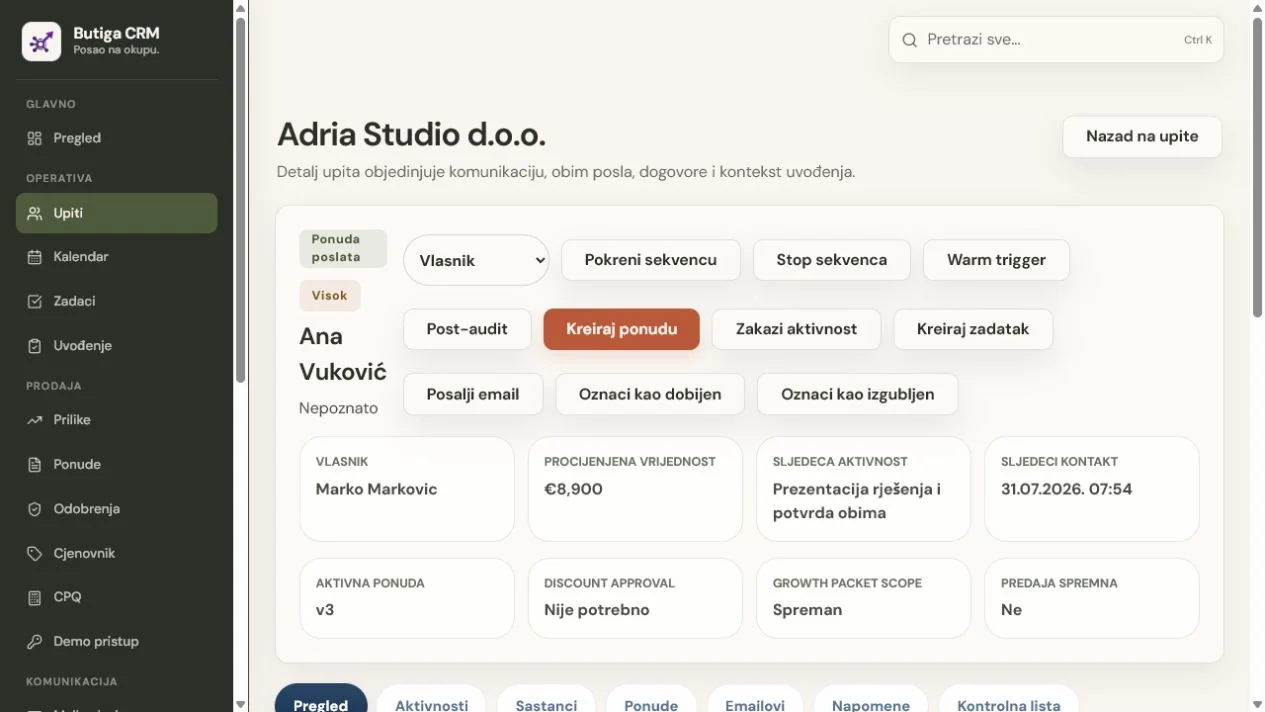
Start a follow-up email with specific context, briefly confirm what was agreed or remains open, and end with one clear next step. Make the message easy to answer. Instead of “just checking”, remind the recipient of a decision, deadline, document or question worth resolving. CRM keeps the message grounded: before writing, the salesperson sees the latest conversation, sent quote, owner and planned activity.
Structure of good follow-up email
- A meaningful subject line. Refer to the topic or agreement, for example “Next step for the quote” or “Information needed to prepare the scope”.
- Context. Identify the meeting, enquiry or quote version sent.
- Value. Add a response, summary, document or clarification that helps the decision.
- One question. Ask for one clear decision or suggest one next step.
- Time. Where relevant, suggest a date without creating false urgency.
Example after a new enquiry
Subject: The next step for your enquiry
Dear Ana,
Thank you for your enquiry about organising the sales process. To prepare a useful proposal, we need to confirm the number of users, how you currently track quotes and who takes over after the sale. Would a call on Tuesday at 10:00 or Wednesday at 14:00 suit you?
Example after the meeting
Subject: Agreed steps after the meeting
Dear Marko,
At the meeting, we confirmed that the priorities are a shared lead overview, connected business email and control of the current quote version. We will prepare a presentation of the proposed workflow by Thursday. Please send an anonymised example of the stages you use.
Example after sending a quote
Subject: Questions about the Butiga CRM quote
Dear Jelena,
We sent the quote on 12 August. It includes five users, email account connection and guided onboarding. Is the scope clear, or should we prepare a change before your internal decision? If convenient, we can go through open questions on Friday at 11:00.
What to send when there is no answer
Do not repeat the same message repeatedly. Check that the contact is the right person, that the decision is still valid, and that you can add useful information. After a reasonable number of attempts, close the loop clearly.
Subject: Shall we close this enquiry?
Dear Nikola,
We have not received a reply to the quote and do not want to send unnecessary messages. If the topic is still relevant, reply briefly and we will arrange the next step. Otherwise, we will close the opportunity, and you can contact us when it becomes relevant again.
How to organise team follow-up
- After the conversation, the opportunity owner records the important outcome.
- It immediately defines the next activity, date and channel.
- Before sending, they open the customer record and check the latest communication and active quote.
- After the answer, update the phase or create a new task.
- If there is no answer, he chooses a new useful message or closes an unrealistic opportunity for a reason.
Note: The people and companies in these examples are fictional.
When to send the next message
There is no universal number of days corresponding to each job. Time depends on what is agreed. After the meeting, send a summary while the conversation is fresh. After the offer, use the date you have agreed with the client or a reasonable period needed for internal verification. If you are waiting for information without which you cannot continue, the message should clearly explain what is missing and what action that unlocks.
When an agreed date passes without a reply, check the context before sending. The customer may have replied to another colleague, requested a change or postponed the project. Follow-up that ignores new information feels automated even when written by a person.
What to log after sending
- the date and channel of communication;
- a short business reason for the message;
- the status or version of the offer to which the message relates;
- the expected response or decision;
- the date of the next check and the person responsible.
Do not record unnecessary private details. A note should help an authorised colleague continue a business conversation, not create an uncontrolled contact profile. If a reply changes the scope, value or deadline, update the relevant opportunity record instead of leaving an important decision only in email.
Why connect email to CRM
When email and CRM are separate, colleagues often do not know what was sent or why the next activity was scheduled. A linked record supports continuity, especially when an opportunity changes owner or several people participate in sales. See how Butiga connects business e-mail, customers and contacts and the sales pipeline.
Most Common Errors
- a generic subject line without context;
- a long message with several different requests;
- a reminder that does not bring new value;
- false urgency and pressure;
- sending without checking the last response;
- follow-up without a recorded next step;
- continuing to send messages when an opportunity is no longer real.
Who needs more than these examples
For mass campaigns, automated sequences and personal data processing, check applicable privacy and electronic communications rules. These examples are intended for existing business conversations, not unwanted mail.
Make a follow-up that the team can follow
Choose an active opportunity, open the latest communication and write a message with one clear question. Then record the next review date immediately. To see this workflow in Butiga, book a demo.